- 04-12-2012, 08:06 AM
Thread Author #26
Top 3/25 now

:::.....BachKhoa University BlackBerry Software Development....:::
SayIt - Built for BlackBerry 10 | SayIt - #1 App on AppWorld
Magic Cam - The best camera app for BlackBerry 10 | Magic Cam on BBWorld - 04-12-2012, 10:31 AM #28
A nice feature would be the ability to convert an existing Doc file to PDF
Torch 9850 (v7.0.1.580)
2 Blackberry Playbooks 16GB & 64GB
Life isn't about waiting for the Storm to pass,
It's about learning todance in the raincall a Storm a Torch!
- 04-12-2012, 12:02 PM
Thread Author #30
Top 2 paid app now

:::.....BachKhoa University BlackBerry Software Development....:::
SayIt - Built for BlackBerry 10 | SayIt - #1 App on AppWorld
Magic Cam - The best camera app for BlackBerry 10 | Magic Cam on BBWorld - 04-12-2012, 12:15 PM
Thread Author #32
:::.....BachKhoa University BlackBerry Software Development....:::
SayIt - Built for BlackBerry 10 | SayIt - #1 App on AppWorld
Magic Cam - The best camera app for BlackBerry 10 | Magic Cam on BBWorld - 04-12-2012, 07:22 PM
Thread Author #35
:::.....BachKhoa University BlackBerry Software Development....:::
SayIt - Built for BlackBerry 10 | SayIt - #1 App on AppWorld
Magic Cam - The best camera app for BlackBerry 10 | Magic Cam on BBWorld - 04-13-2012, 02:03 AM
Thread Author #36
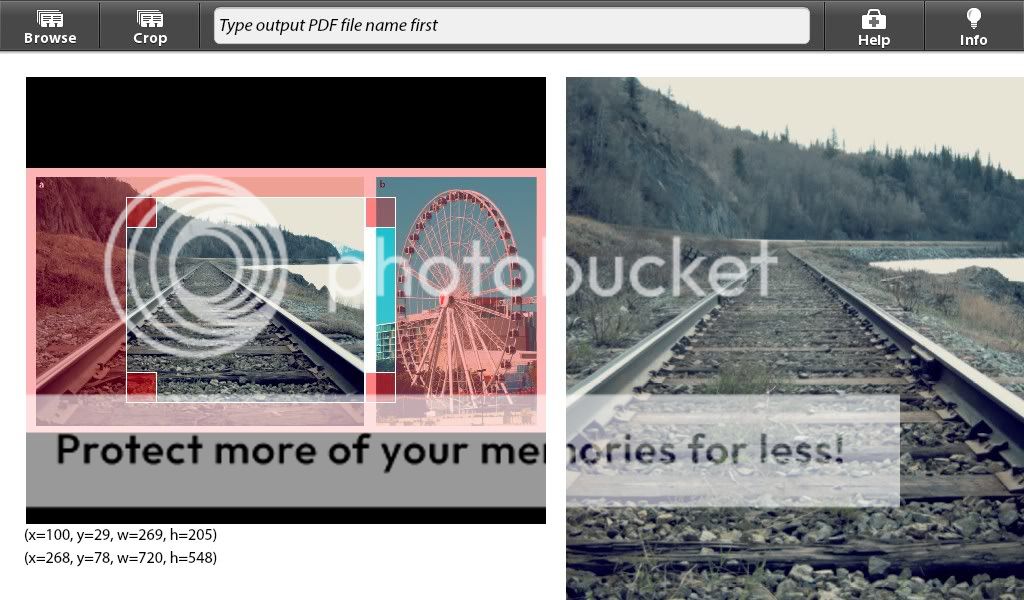
Now with Crop feature

Last edited by BachKhoa University; 04-13-2012 at 05:13 AM.
:::.....BachKhoa University BlackBerry Software Development....:::
SayIt - Built for BlackBerry 10 | SayIt - #1 App on AppWorld
Magic Cam - The best camera app for BlackBerry 10 | Magic Cam on BBWorld - 04-13-2012, 03:49 AM #37
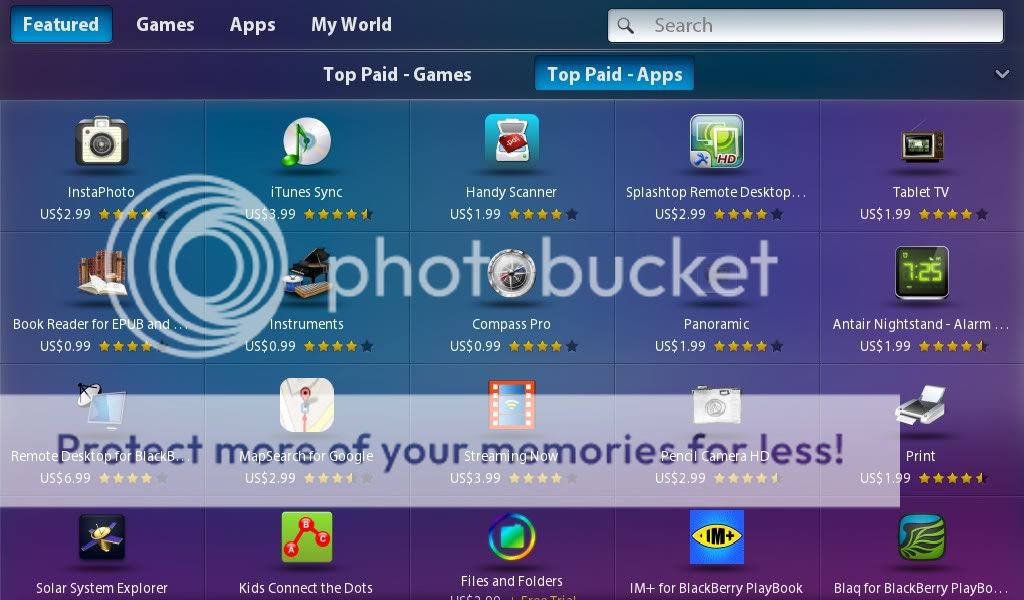
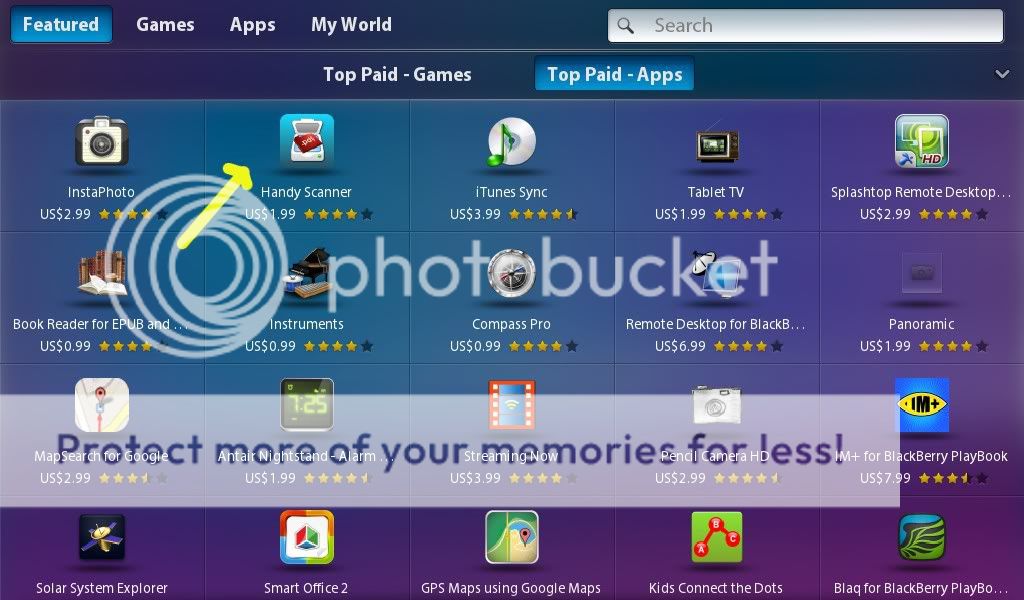
Great app...now on featured front page and #2 on top paid apps.
Congrats and keep it up.Everyday is a good day...some are just better than others.
Have a Blackberry 9930 for sale, message for info.Thanked by:BachKhoa University (04-13-2012)
- 04-13-2012, 04:29 AM
Thread Author #38
Rofl, featured on North America not in Asia

Anyone show me the screenshot of Handy Scanner featured on PlayBook? Plz.......Last edited by BachKhoa University; 04-13-2012 at 04:35 AM.
:::.....BachKhoa University BlackBerry Software Development....:::
SayIt - Built for BlackBerry 10 | SayIt - #1 App on AppWorld
Magic Cam - The best camera app for BlackBerry 10 | Magic Cam on BBWorld - 04-13-2012, 10:12 AM #39
Here you go. Getting all of your friends to purchase must have helped!
Thanked by:BachKhoa University (04-13-2012)
- 04-13-2012, 01:41 PM
Thread Author #40
:::.....BachKhoa University BlackBerry Software Development....:::
SayIt - Built for BlackBerry 10 | SayIt - #1 App on AppWorld
Magic Cam - The best camera app for BlackBerry 10 | Magic Cam on BBWorld - 04-22-2012, 04:16 PM #41
I've just bought the app, but I can't see where it has the crop feature?
This is exactly what I need for my playbook - but without crop it's useless as I need to scan without any background.
A great example of what scanning software should do is CamScanner for Android devices - it is awesome.
Cheers - 04-22-2012, 05:30 PM #42
no ability to crop or lighten?
HI, I tried the app and am not overly impressed. No ability to crop, or lighten image. Am I missing something simple here? I took a pic with a basic PDF Creator free and had the exact same quality?
Please let me know if I am missing something?
Brian - 06-06-2012, 01:09 PM #43
The post from the developer on 13 April 2012 displays this app with the crop feature but I just downloaded the app today and the crop feature is absent. The output PDF file size also seems to be unreasonably large. The price for this app, though relatively small has increased to £3.
I think the concept is great and when it is fully functional it should be a useful tool. - 06-14-2012, 07:11 PM #44
Does anyone even see the crop feature in your version? I have emailed the developer 3 times in the last week and a half with no answer. No activity on his twitter account either as best I can tell
- 03-29-2013, 11:11 PM #46
The crop function has never been implemented but has been promised by the dev, although you can see from past posts the time frame. I have not used PDF Creator although I think I will try it because as I've used my PB more and more for scanning I have a need for something different than what we have.
- 03-30-2013, 12:40 AM #47
Thanks for the reply, for scanning with your playbook you can also use the android app I posted in another thread:
Image to Text - Playbook?
Its pretty good it has a crop function, you can change the lighting, export to pdf and convert image to text using google drive.


Reply