- Forum
- BlackBerry OS Phone Forums
- More for your BBOS Phone!
- BlackBerry Themes
- BlackBerry Tour 9630 Themes
[P]**NEW**HIGHLANDER**by drkapprentice designs**
-

- 2,664
HIGHLANDER
FIRST THEME WITH PLAYBOOK ICONS!!!

The most realistic PLAYBOOK experience you can get (and save $598 )
)
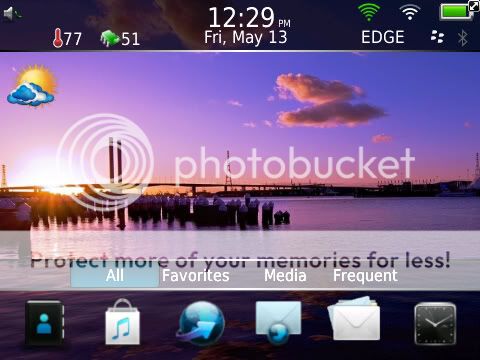
Press the + key (alt+o) to reveal the hidden dock that has the smooth animation that is very faithful to the PLAYBOOK's.
Scroll between the four dock selections reveals one of four hidden docks with six icons each (scroll down from dock selection to access dock icons).
Press the z key to reveal the panel docks.
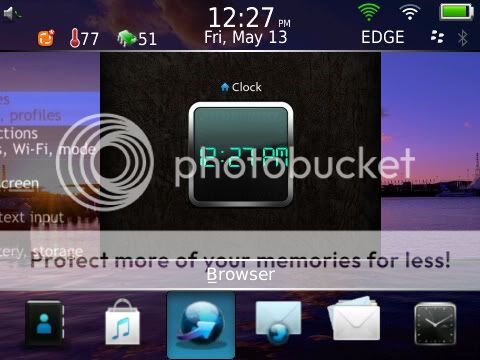
The center panel shows as the options defined wallpaper and activates app slot1 (also shows below the top banner as an OCD icon when the panel dock is hidden) Scroll to the left and acces to the native browser app with the click on the panel. Scroll one more screen to the left reveals a hidden today panel slides into view with 10 entries each for MESSAGES, CALENDAR, PHONE LOG, SMS as well as a spot for BBM. Touch to the right and gain access to the options panel and once more to reveal a PLAYBOOK style digital clock panel (click to activate clock)
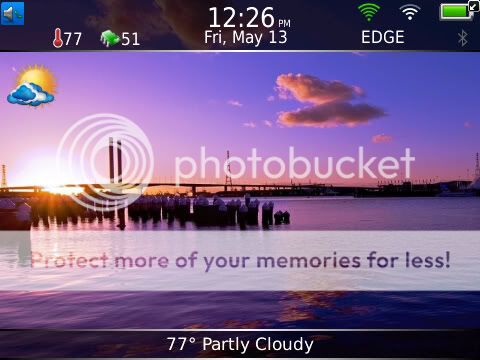
Press the - key (alt+i) to hide all and give full view of the unique user defined wallpaper (or supplied default if you choose)
Press the x key to show a hidden panel for app slot 23 (perfect for BatteryEx-recomended, not included) ESCAPE too hide.
__________________________________________________ _______________
Google ipad wallpaper -- as these images are mostly sized correctly to work with no editing.
(Any image sized 1:1 will work) save this image to your sdcard.
Open the files application (usually in the applications folder)
Go to "File Folders" > Media Card > press the menu button > select "New Folder"
Name the folder "Highlander_7.0"
NOTE: capital "H" and the underscore "_" before 7.0
Now open the pictures application. Locate the image you have previously saved, highlight the image and press the "Menu Button". Select "Copy" from the list and exit the pictures application.
Open the "Files" application and navigate to the "Highlander_7.0" folder and click it to open.
Once in the folder press the Menu Button and select "Paste"
Now that the image is in the correct folder it must be renamed to "my_wall1.png/.jpg"
NOTE : no capital letters and underscore "_" between "my" and "wall".
NOTE : you MUST rename the file extension to .png, this can be done in the files application. Even though there will be an error warning you about renaming the file extension, nothing will happen.
Then rotate themes (choose a different theme, activate it then go back and choose Highlander)
__________________________________________________ _______________
HIGHLANDER05-15-11 03:47 PMLike 0 -
- 3,430
-
- 2,664



- Forum
- BlackBerry OS Phone Forums
- More for your BBOS Phone!
- BlackBerry Themes
- BlackBerry Tour 9630 Themes
[P]**NEW**HIGHLANDER**by drkapprentice designs**
LINK TO POST COPIED TO CLIPBOARD