- 07-14-2008, 11:02 AM
Thread Author #1
What does your iPhone/iTouch screen look like?
This thread will only work with lots, and lots of photos...
So, start posting...

Note: Quickly press and release the Sleep/Wake and Home buttons at the same time. A flash of the screen lets you know the screenshot was taken. The screenshot is added to the Camera Roll.Last edited by naviwilliams; 07-14-2008 at 11:04 AM.
- 07-14-2008, 11:03 AM #2
Ouch Painful!!!
-
CrackBerry Master
- Posts
- 1,392 Posts
- Global Posts
- 1,393 Global Posts
- PIN
- You have to be on the VIP list
07-14-2008, 12:08 PM #3
Retired Forum Moderator
---------------------
CrackBerry Forums How-To
CrackBerry Tips & Frequently Asked Questions
- 07-14-2008, 06:02 PM #4
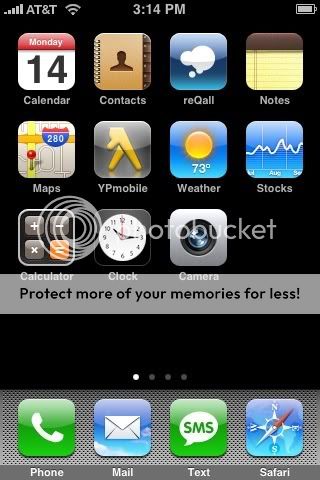
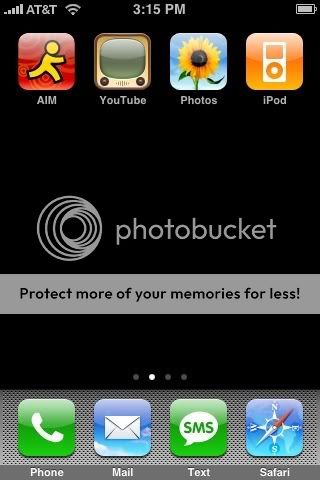
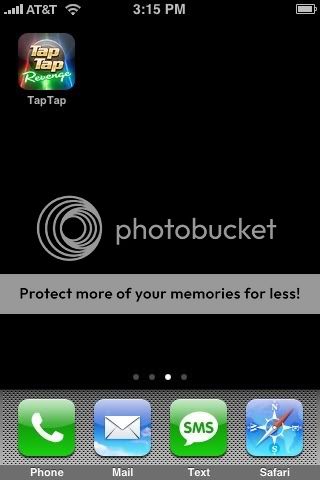
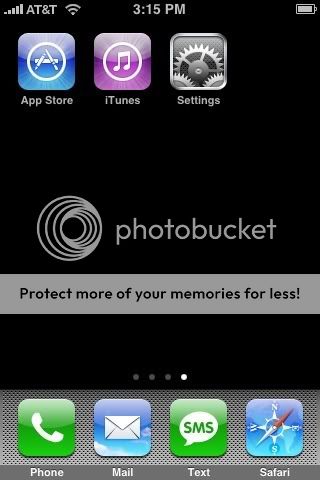
I still have to do some installing, but for now...
"PDA" Screen

Media Screen

Games Screen

System/Store Screen
Last edited by CrazEtooN; 07-14-2008 at 06:11 PM.
- 07-14-2008, 06:10 PM #5
Pandora....
Drool."You're Abe Frohman? The 'sausage king' of Chicago?" - 07-14-2008, 06:13 PM #6
CrazE, I never thought to have multiple screens like that.
*runs to reorganize Touch*Crackberry super member with posting powers no one else has and sooper sekret identities. Or so I'm told.
- 07-14-2008, 06:22 PM #7
Looks like you guys need some wallpaper for them iPhones.
LOL @ reeneebob. - 07-14-2008, 09:15 PM #8
add your ipod touch screenshots too. it doesnt have to be an iphone.
- 07-14-2008, 09:45 PM #9
Since iPod Touch doesn't have a camera, you can't do screenshots. Sorry!
Crackberry super member with posting powers no one else has and sooper sekret identities. Or so I'm told.
- 07-14-2008, 10:41 PM #10
Here mine:

(Sorry I couldn't resist) - 07-14-2008, 10:48 PM #11
LOL I rock an iBerry theme too. I know the icons so it's simple for me.
Crackberry super member with posting powers no one else has and sooper sekret identities. Or so I'm told.
- 07-14-2008, 11:07 PM #12
Nice screens... I have not been able to arrange mine yet. I have something similar to CrazE's, not broken down that way tho.
23 + apps... :/ I went app crazy!
I will post as soon as I get them organized again. I formatted my phone started fresh!
Last edited by Jayden0606; 07-14-2008 at 11:13 PM.
CrackBerry.com Mod | Retired Android Central Mod | Tech Enthusiast
Forum Guidelines | MarketPlace Guidelines
My Twitter | The Genesis Blog
My Marketplace Feedback
- 07-15-2008, 09:33 AM #13
- 07-15-2008, 09:44 AM #14BlackBerry® Bold 9900
The Key to Success is Always Stay Connected
- 07-15-2008, 11:48 AM #15
[QUOTE=naviwilliams;493343]This thread will only work with lots, and lots of photos...
So, start posting...
Navi, how does the iPhone compare to the curve. I figured you were a blackberry lifer. What made you switch and are you satisfied with your decision? - 07-15-2008, 04:37 PM #16
You can do screenshots on the Touch. It will just save them to the "Saved Photos" folder instead of the Camera Roll. Just hold your home button and quickly press the sleep button, and you are set.
- 07-15-2008, 07:27 PM #18
- 07-15-2008, 08:30 PM #19
Screenshot = Hold the home button and then press the sleep button one time. The screen will flash and it will save to the Camera Roll folder.
When you sync with iTunes, iPhoto will automatically open (you said you have a Mac, I think...) and ask if you want to import the photos. Choose to import them and then you can upload them to whatever photo service you want, like PhotoBucket, in order to get the IMG code. Come back and make a new post, then copy and paste the IMG code and you are set.
You could also just attach them directly from your computer to your post here on the boards, but they won't show up in the thread like the rest of ours, they will instead show up as attachments that need to be clicked.
(You may need to drag the photo from iPhoto to your desktop to upload it to a site like PhotoBucket, or to your post) - 07-15-2008, 09:24 PM #21
hahaha!!! LMAO!!
that is classic
And, no offense, I love the iPhone and I am a really open-minded person!! But... the sharing of screen shots for the iPhone is a bore! All of them have the same background... no personality!! The only difference is the applications and how they are organized
Might as well make this thread : What iPhone apps do you have??
I was really really looking forward to browsing through this thread and thought it would be interesting to follow... but *yawn*
No longer a CrackBerry addict. Moved to Android - could not be happier! 
- 07-16-2008, 11:27 AM #22
The man makes a good point. Unless an official version of SummerBoard pops up (which will likely never happen, even if it would be awesome), this really is more about what apps you have and how they are organized. Considering everyone technically has the same screen that is...
- 07-16-2008, 12:04 PM #23
One word: Wallpapers
Last edited by cjharley; 07-16-2008 at 12:09 PM.
- 07-16-2008, 02:26 PM #24
Good point... Instead of just posting your Home Screen(s), post your lock screen wallpaper! It will at least give us some diversity, lol.
- 07-16-2008, 02:28 PM #25Crackberry super member with posting powers no one else has and sooper sekret identities. Or so I'm told.


Reply